Settings
Categories:
Settings view
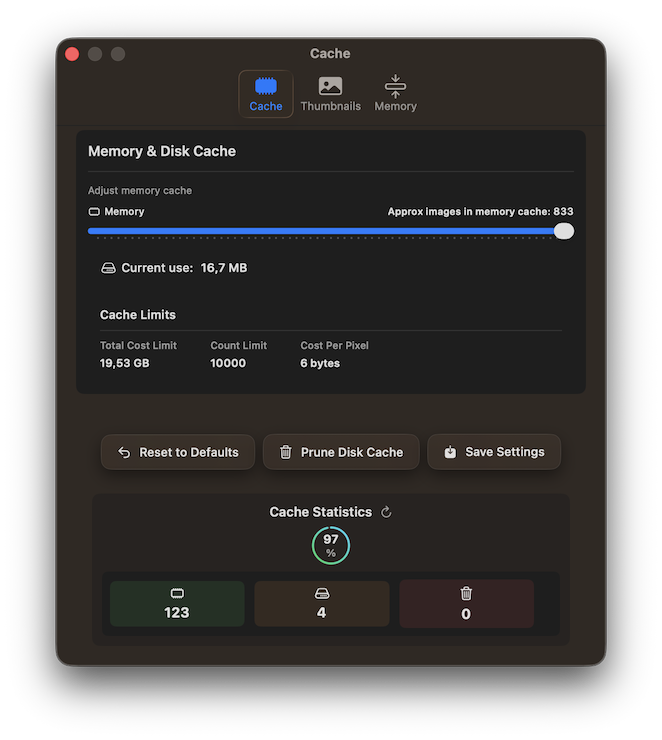
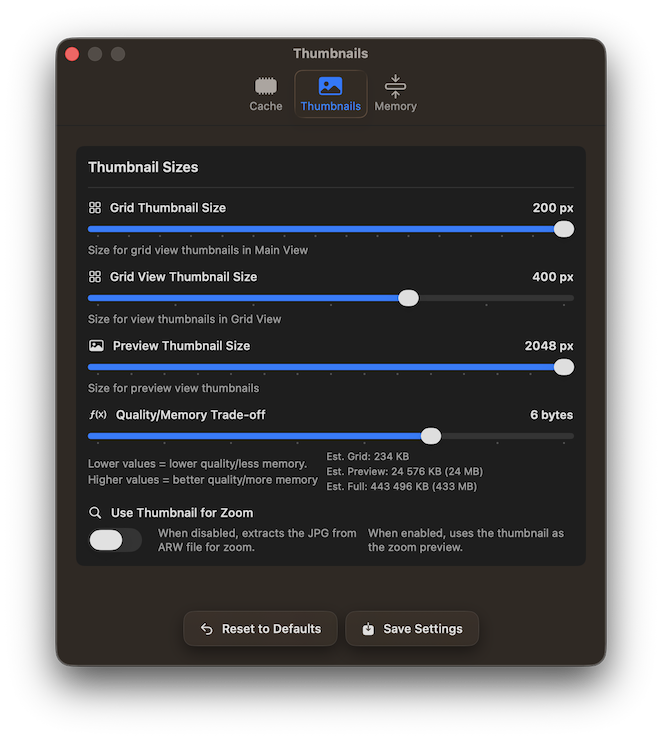
RawCull provides settings to customize your culling experience and optimize performance:
- Cache Management: Control thumbnail cache location and size to balance performance with disk space usage
- Thumbnail Quality: Adjust thumbnail generation settings to optimize preview quality and loading speed
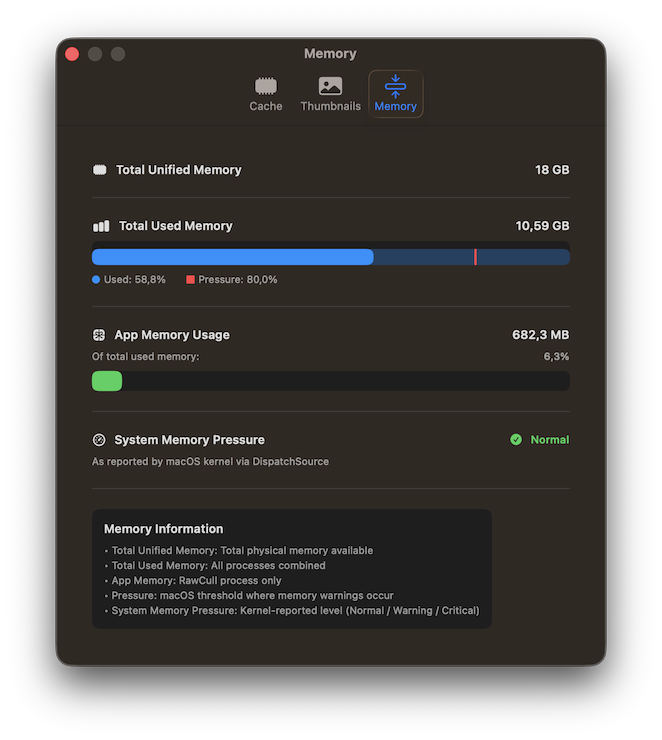
- Memory Settings: Configure memory allocation for handling large photo catalogs efficiently
Access these settings via RawCull → Settings to fine-tune RawCull for your specific needs and system configuration. The cache statistics present the memory hit-rate when viewing photos.
The memory tab displays the memory utilized, the total memory capacity, and a memory-pressure warning.
Feedback
Was this page helpful?
Glad to hear it! Please tell us how we can improve.
Sorry to hear that. Please tell us how we can improve.