Screenshots
Categories:
This visual tour follows a puffin catalog through photo inspection, grid comparison, focus checks, and burst review. For detailed analysis of selected photographs, see the separate AI Screenshots section.
Loupe View
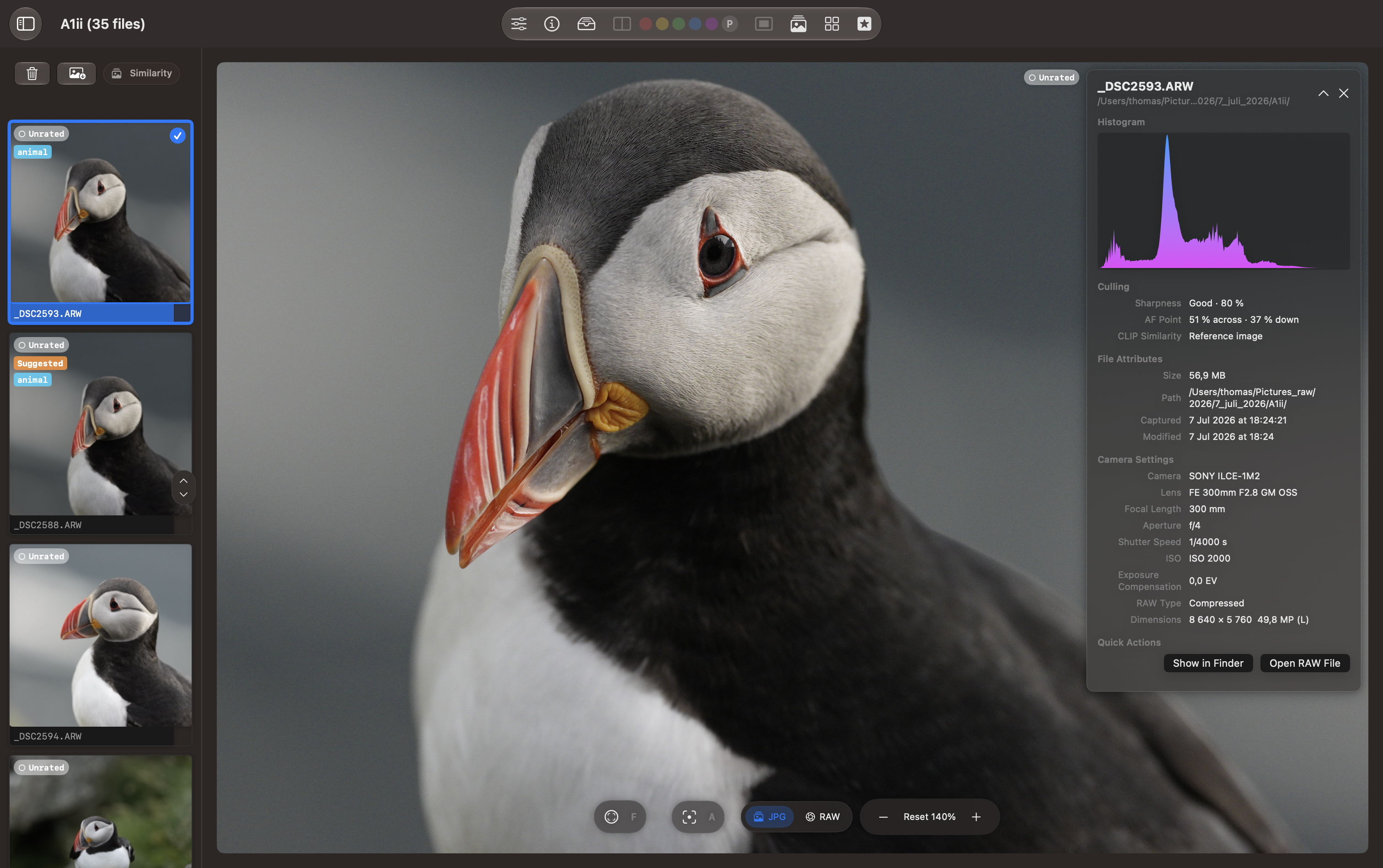
The Loupe view shows a large puffin-in-flight preview beside a vertical strip of nearby photographs. The selected thumbnail has a blue border, and the visible photos are marked Unrated.
The open information panel shows the histogram, camera autofocus location, file attributes, and camera settings, with Show in Finder and Open RAW File actions. Controls below the preview provide focus overlays, JPG/RAW selection, and zoom adjustment.
Similar Photos in Grid View
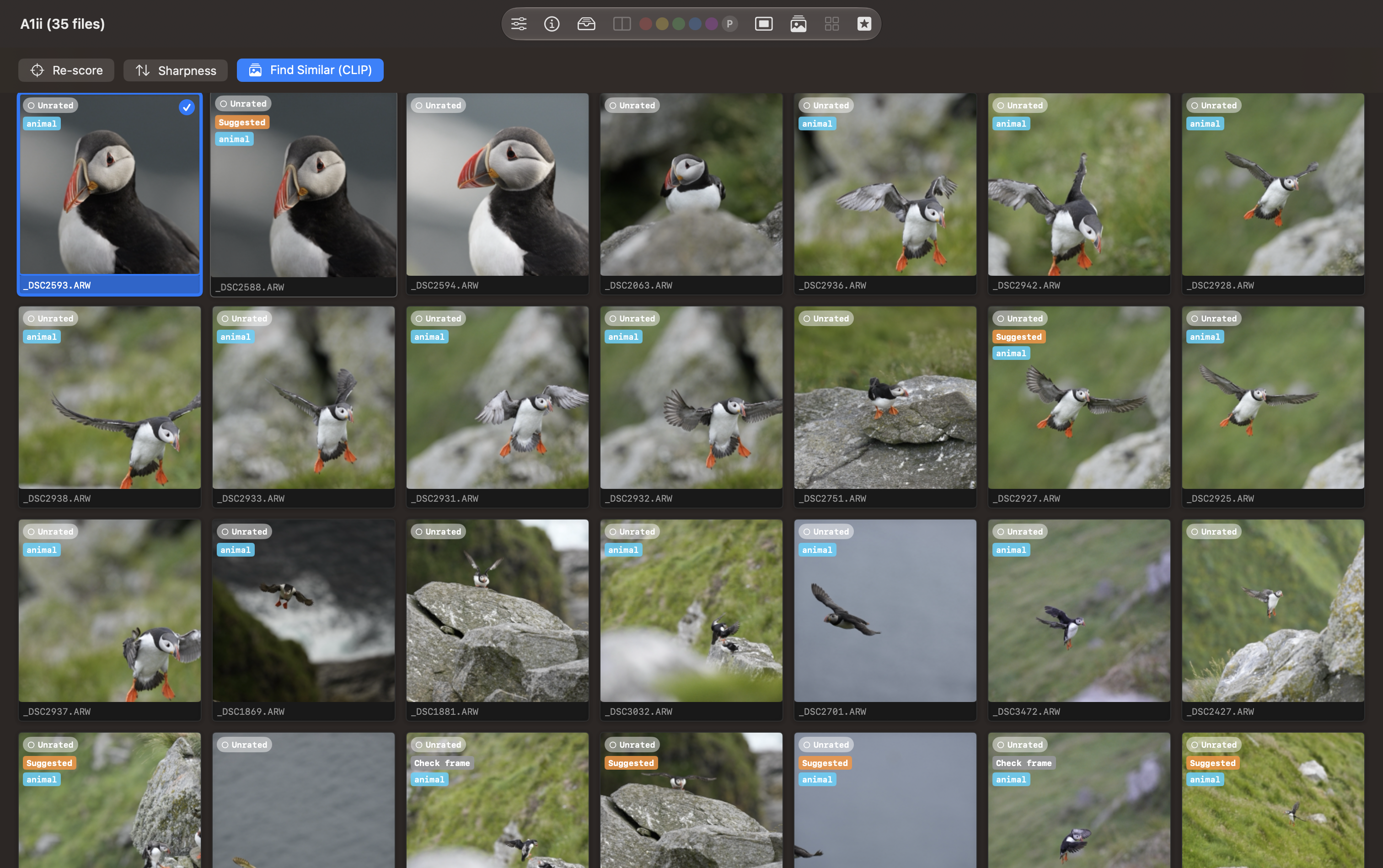
With Find Similar (CLIP) active, the grid brings visually related photographs together around the selected puffin-in-flight frame. Similar flight poses appear first, followed by other puffin views. The blue border identifies the selected image; each card shows its filename and rating.
Use this arrangement to compare wing position, framing, and timing across the catalog.
Grid View by AF-Point Sharpness
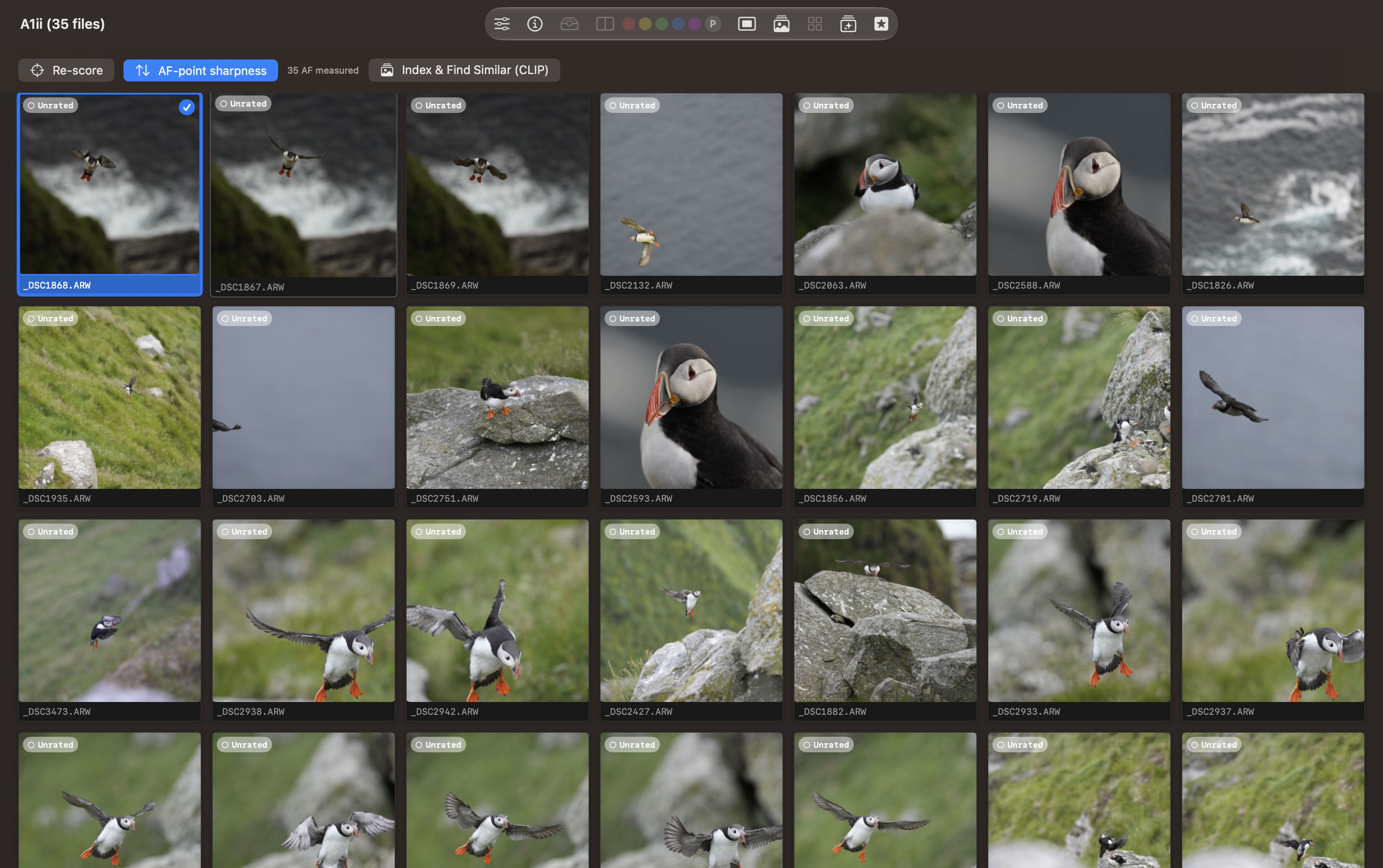
The second grid has AF-point sharpness active and reports 35 AF measured. The order differs from the similarity view because it prioritizes measured detail around the camera autofocus location. Re-score reruns scoring, while Index & Find Similar (CLIP) provides access to visual similarity.
Use the ranking to choose candidates for closer inspection, then check the subject at a useful zoom level.
Burst List
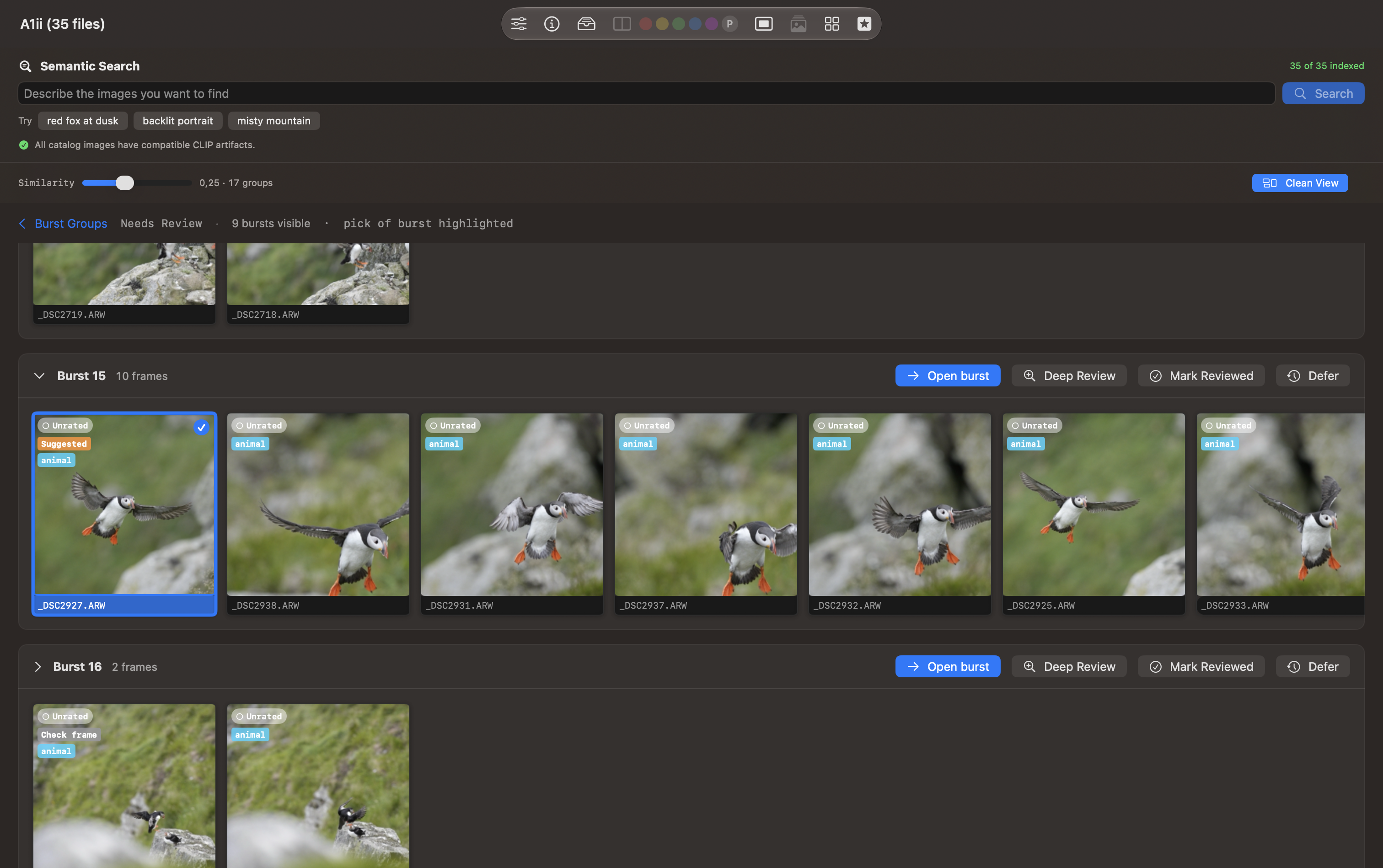
The Needs Review list shows grouped puffin sequences. Burst 15 contains ten frames, with the suggested pick highlighted in blue and labelled Suggested. Each burst provides Open burst, Deep Review, Mark Reviewed, and Defer actions.
Above the groups, the similarity slider controls grouping. The Semantic Search area reports that all 35 catalog images are indexed and have compatible CLIP artifacts; its search field accepts a description of the photographs you want to find.
Focus Point, Focus Mask, and Subject Outline
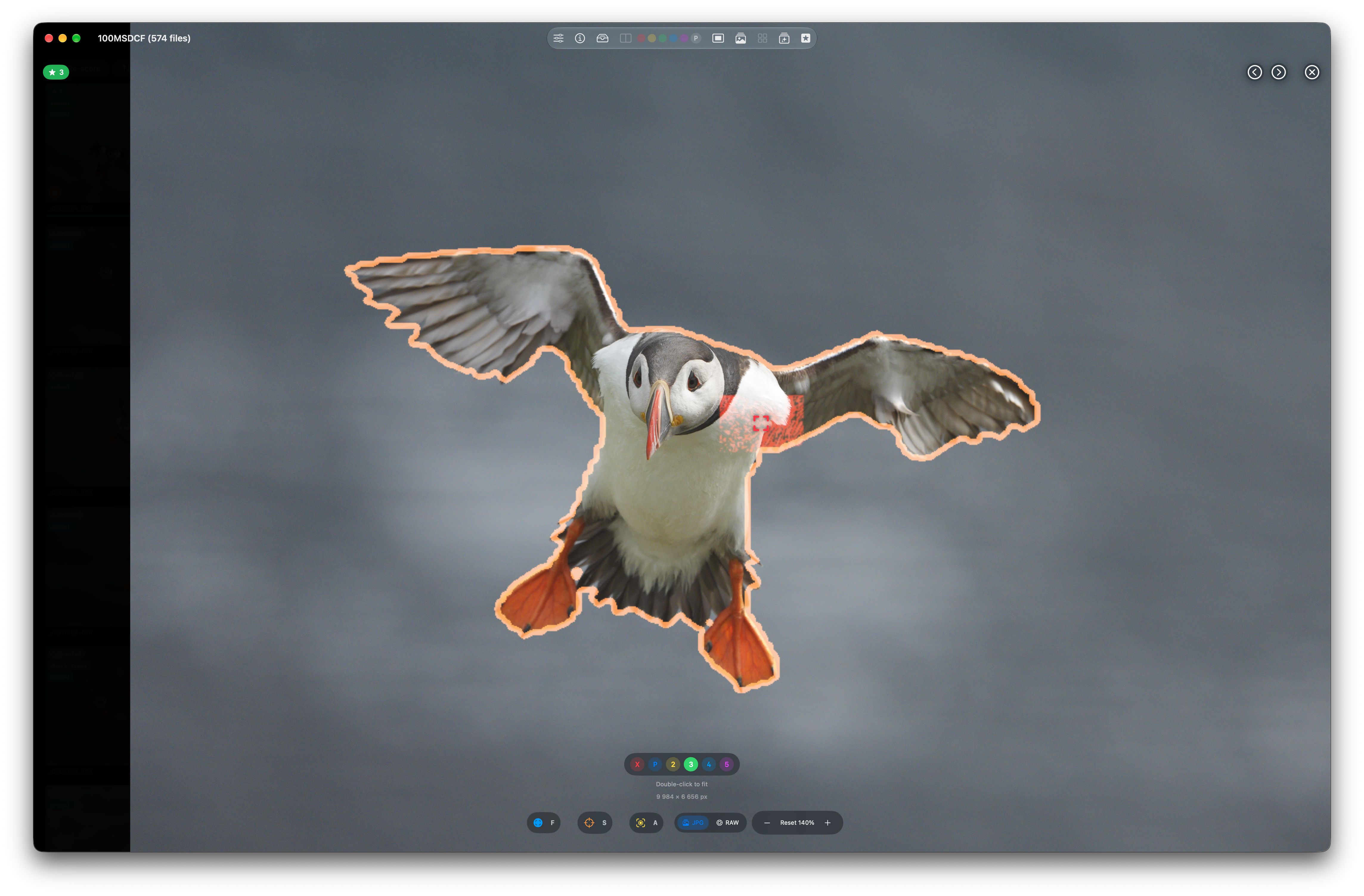
The full-window viewer shows a puffin in flight with an orange subject outline, a red camera autofocus marker, and highlighted focus-map detail near the shoulder. The photograph is rated three stars. Rating buttons, overlay controls, JPG/RAW selection, and zoom controls remain available beneath the image.
The autofocus marker records where the camera focused; the focus mask highlights detected edge detail. Compare those locations with the part of the bird that matters to you. An outline or overlap alone does not confirm sharpness.
Burst Review
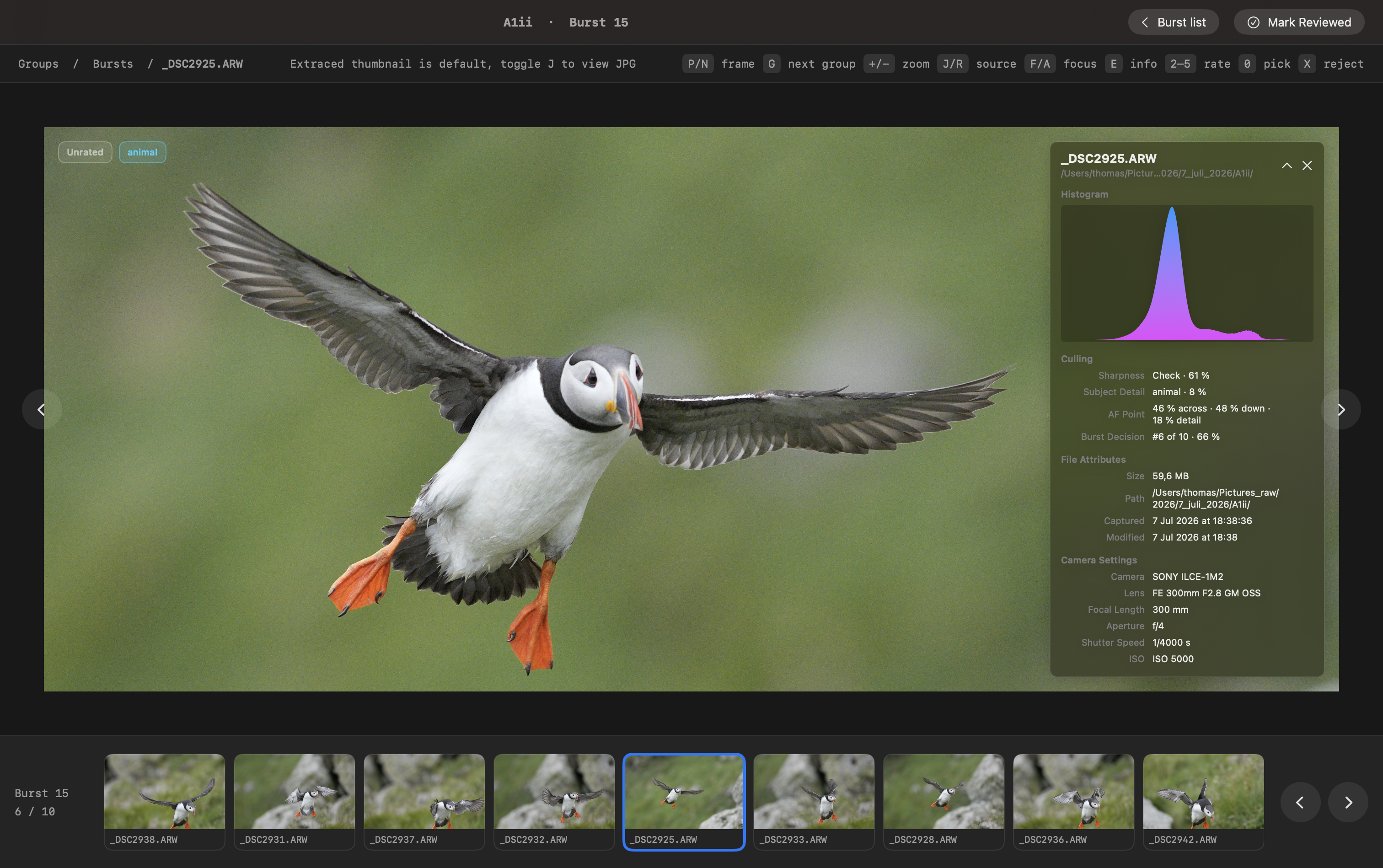
The burst reviewer opens Burst 15 with a large preview and a ten-frame filmstrip below it. The selected first frame is labelled Suggested and Unrated. The information bar shows its position in the burst, sharpness and overall scores, histogram, and exposure settings.
Move between frames to compare pose and detail, then rate a photograph, set a pick, or reject it. Burst list returns to the grouped overview, and Mark Reviewed records that you have checked the burst.
For the next stage of review, see AI Screenshots or follow AI Step by Step.
Feedback
Was this page helpful?
Glad to hear it! Please tell us how we can improve.
Sorry to hear that. Please tell us how we can improve.